Automation · 5 minute read
Email automation that knows when to stop
Design reliable email automations with clear triggers, delays, consent checks, retries, and exit rules. A practical checklist before you activate a workflow.
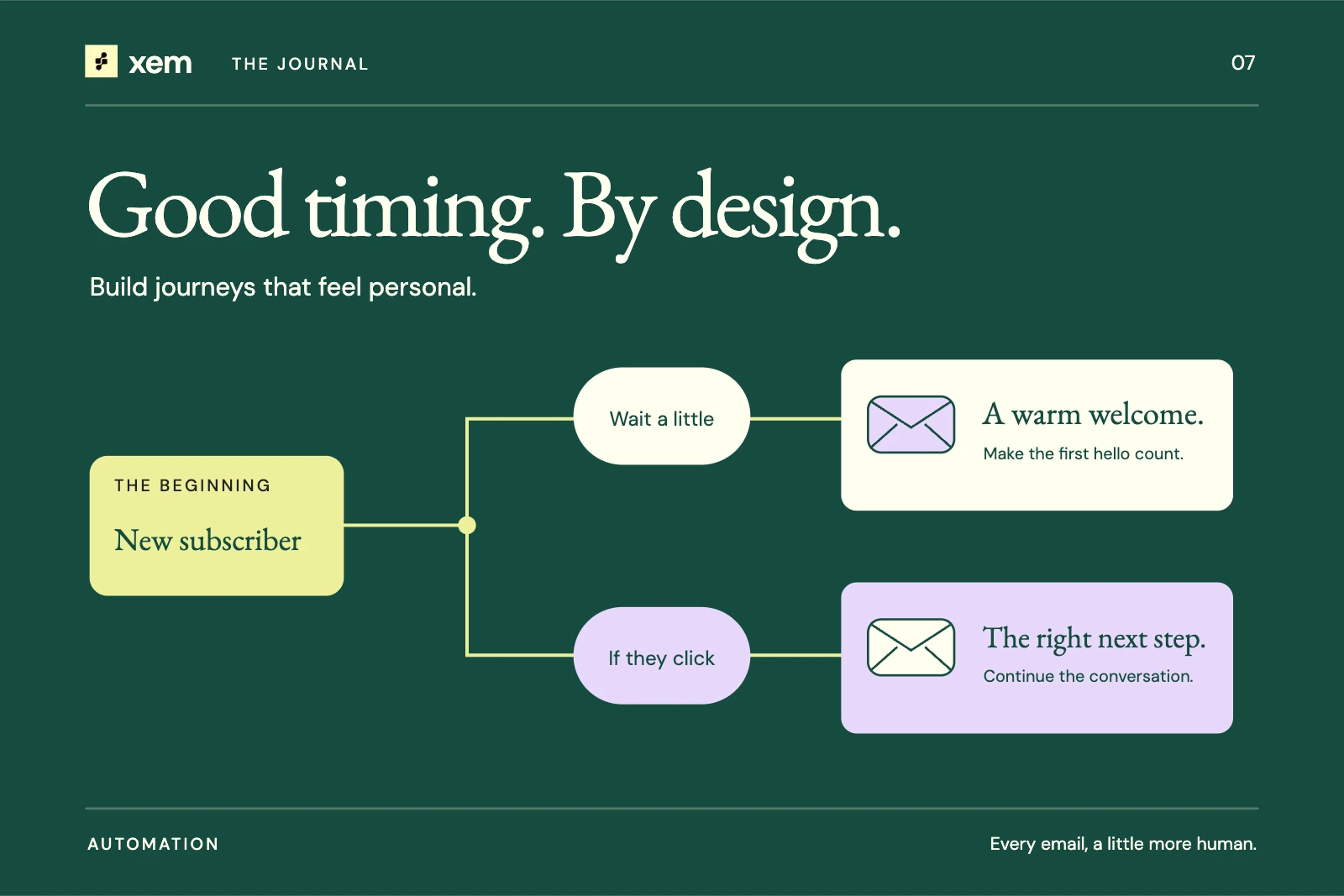
A workflow diagram usually shows the happy path: someone signs up, waits a day, and receives a useful email. Production has more interesting paths. The person signs up twice. The first send times out. They unsubscribe during the delay. A teammate changes the template before the next step runs.
Reliable automation begins with those cases. A clean visual builder helps the team understand a sequence, but the diagram is only useful if execution follows the rules it represents.
This guide is a design and review checklist. It describes properties to verify in your system, not a claim that every tool provides them automatically.
Make the trigger precise
“New contact” is often too broad. A contact might be created by a public form, an import, a CRM integration, or a teammate entering a record manually. Those events do not all carry the same permission or expectation.
Write the trigger as a sentence: “Start when a subscription to the product-tips list is confirmed through this approved signup flow.” Then identify the system event that actually represents it.
If your builder only exposes a more general event, add the supported eligibility checks or narrow the workflow's scope. Do not assume every created record is a fresh opt-in.
Also define whether the same person can enter again. Re-entry may be appropriate for a requested reminder and inappropriate for a first-time welcome sequence.
Treat the delay as a period when things can change
A delay is not just a timer. It is a gap during which the recipient's eligibility, preferences, or account state may change.
Before each send, recheck current suppression and subscription status. If the workflow depends on a product state, verify that state again where your integration supports it. A person who already completed setup should not receive a message implying they have not.
Decide what happens when a template changes during the delay. Some systems snapshot the content at enrollment; others use the current template at execution. Both can be valid, but the team needs to know which behavior it is approving.
Record timezones explicitly when an action depends on local time. A delay of 24 hours and “tomorrow at 9 a.m.” are different scheduling rules, especially around daylight-saving changes.
Decide the exit rules before the first action
The workflow should have an answer for each of these situations:
| Situation | Behavior to define and test |
|---|---|
| Recipient unsubscribes | Stop applicable marketing sends and preserve the preference. |
| Address becomes suppressed | Prevent further sends according to the suppression policy. |
| Goal is completed | Exit or move to the next appropriate stage if the system supports that condition. |
| Duplicate trigger arrives | Avoid unintended duplicate enrollment or sending. |
| Workflow is paused | Define whether pending steps pause, cancel, or continue. |
| Template is removed | Fail visibly rather than sending an empty or unintended message. |
A system should expose enough run history to explain why a step sent, skipped, failed, or stopped. Without that history, support conversations become guesswork.
Be careful with retries
A failed request and a failed delivery are not always the same thing. Your application may lose the response after an SMTP server has already accepted the message. Retrying blindly can create a duplicate.
Use the sending system's supported idempotency and retry mechanisms where available. Distinguish a confirmed rejection from an uncertain outcome. Set bounded retry behavior rather than an endless loop, and make permanent failures visible to an operator.
This is an engineering requirement to inspect, not a feature to infer from the presence of a retry button. Ask what event establishes successful handoff and what happens if the worker stops between handoff and recording success.
Give AI a bounded role
An AI agent can help draft a message, summarize a run, or suggest a workflow. Those are different permissions from changing the audience, inventing an offer, or enabling automatic sends.
For an initial workflow, keep the approved template and audience rules stable. Use AI to prepare copy for review or explain an error in plain language. Do not let a generated suggestion become an active campaign merely because the wording looks plausible.
If dynamic generation is part of your system, define allowed inputs, factual sources, output validation, and a fallback for failures. Keep sensitive audience data out of unapproved services. Log enough to investigate behavior without turning logs into an unnecessary store of private content.
Test the workflow as a small system
Use a staging environment or clearly isolated test records. Run the happy path, then test duplicate enrollment, unsubscribe during a delay, suppression, a failed send, and a paused workflow.
Check both the visible builder and the execution history. Confirm that the email's links, sender, and footer are correct at the moment it sends. Test access controls with the roles that will maintain the workflow.
In Xem, begin with the existing automation builder and supported triggers and actions. Reuse your approved templates and audience lists. Verify each behavior against the running application before describing the workflow as ready for unattended use.
Review what actually ran
After activation, inspect a small set of complete runs. Look at enrollments, successful actions, skipped steps, failures, and exits. A high send count can conceal a workflow that ignores its stop rules.
The first operational question is not “How many emails did we automate?” It is whether the right people received the intended message once, at an appropriate time, while everyone else was correctly excluded.
Sources and further reading
- Google: Email sender guidelines.
- IETF: RFC 8058 — why automatic URL fetching must not accidentally change subscriptions.
- ICO: Direct marketing guidance.
- Related: plan a useful welcome sequence.
Written with AI assistance and checked against the linked sources. Examples are illustrative. Our editorial approach