Comparisons · 6 minute read
What it costs to send a newsletter through Amazon SES in 2026
Amazon SES charges $0.10 or $0.16 per 1,000 emails. Worked examples for 1,000 to 100,000 subscribers, the costs people forget, and how it compares.
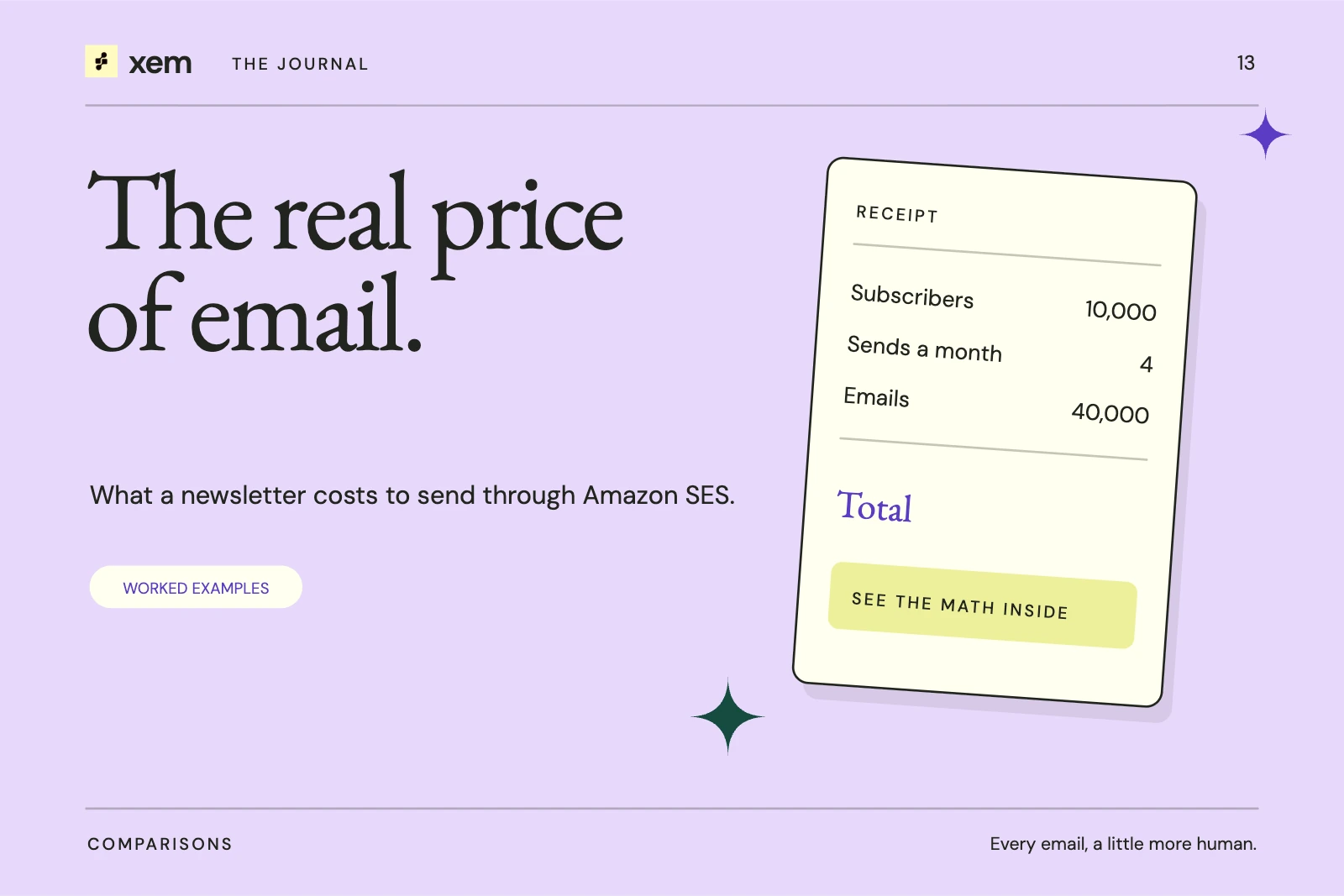
Sending a newsletter through Amazon SES costs $0.10 per 1,000 emails on pay-as-you-go pricing, or $0.16 per 1,000 on the Essentials plan that new SES accounts start on. A weekly newsletter to 10,000 subscribers is about 40,000 emails a month, which costs $4.00 to $6.40 in sending fees.
That is the sending fee only. You still need software to write, schedule and track the newsletter, and SES has setup steps that hosted newsletter platforms handle for you. This guide works through the numbers as of October 30, 2026, and lists what the per-email price leaves out.
How does Amazon SES charge for email?
SES charges per message sent, not per subscriber stored. A list of 10,000 people costs nothing until you send to it. Unsubscribed people, inactive people and people you never mail do not add to the bill.
As of October 2026, Amazon publishes these outbound prices:
| Plan | Price per 1,000 emails | Monthly fee |
|---|---|---|
| Pay-as-you-go | $0.10 | None |
| Essentials | $0.16 | None |
| Pro | $0.22 | $105 |
| Enterprise | $0.23 | $500 |
Attachments add $0.12 per GB. A typical HTML newsletter with linked images, rather than attached ones, stays well under that.
Which plan does a new account use?
According to Amazon's pricing page, accounts with no SES activity since June 1, 2025 start on the Essentials plan from July 21, 2026. Essentials includes deliverability tools. Amazon says you can switch to pay-as-you-go at any time.
The free allowance of 3,000 emails a month that older guides mention is no longer listed. New AWS customers instead receive up to $200 in AWS Free Tier credits.
What does a newsletter cost at different list sizes?
These examples assume four sends a month to the whole list. Real months have four or five weeks, so a weekly newsletter will sometimes send five times.
| Subscribers | Emails a month | Pay-as-you-go | Essentials |
|---|---|---|---|
| 1,000 | 4,000 | $0.40 | $0.64 |
| 5,000 | 20,000 | $2.00 | $3.20 |
| 10,000 | 40,000 | $4.00 | $6.40 |
| 25,000 | 100,000 | $10.00 | $16.00 |
| 100,000 | 400,000 | $40.00 | $64.00 |
The arithmetic is simple: subscribers × sends ÷ 1,000 × price. Automations, welcome emails and test sends count too, so add a margin if you run them.
How does that compare with newsletter platforms?
Most newsletter platforms charge by list size, and the fee includes their editor, hosting, forms and support. At 10,000 subscribers, the published monthly prices we checked on October 30, 2026 were:
| Platform and plan | Monthly price at 10,000 subscribers | Priced by |
|---|---|---|
| MailerLite Comfort | $89 | Subscribers |
| Mailchimp Standard | $135 | Contacts |
| beehiiv Lite | $139 | Subscribers |
| Kit Creator | $139 | Subscribers |
| Amazon SES Essentials, weekly send | $6.40 | Emails sent |
Mailchimp's US price comes from third-party pricing summaries, because its pricing page showed us local currency. Yearly billing lowers several of these prices.
This is not a like-for-like comparison. SES is only the delivery service. The fair comparison is SES plus the software you use with it and the time you spend running it.
What costs does the per-email price leave out?
Plan for these before you switch:
- Software. SES has no newsletter editor, subscriber forms or archive. You need a tool on top, either hosted or self-hosted.
- A server, if you self-host. Self-hosted tools need a machine to run on, backups and updates.
- Time. Someone has to verify the domain, request production access and watch bounce and complaint rates.
- Production access. New SES accounts start in a sandbox that allows 200 messages per 24 hours, one per second, and only to verified addresses. You request production access from the SES console, and AWS says it responds within 96 hours.
- Domain authentication. Gmail and Yahoo require SPF, DKIM and DMARC for bulk senders. SES helps you set up DKIM, but you add the DNS records.
None of these are large on their own. Together they are the reason hosted platforms cost more.
Who should send a newsletter through SES?
SES makes the most sense when one of these is true:
- Your list is large enough that per-subscriber pricing hurts, roughly thousands of subscribers and up.
- You send often, but most of your list is not paying you yet.
- You are comfortable with DNS records, or have someone who is.
- You want your sending reputation tied to your own domain and account.
If your list is small and you value not thinking about infrastructure, a free tier on a hosted platform can be the better choice for now. You can move later; the export steps are in how to move your newsletter list.
Where does Xem fit?
Xem is an open-source email marketing suite that sends through Amazon SES or any SMTP provider. It adds the parts SES leaves out: the editor and templates, newsletters and campaigns, automations, signup forms, a contact CRM, a shared inbox and analytics. Your sending bill stays whatever your provider charges.
You can run Xem on your own server under the GPL-3.0 licence, or use the hosted app. Either way, the SES account, its limits and its reputation remain yours. The step-by-step setup is in the Amazon SES guide, and the wider authentication picture is in email deliverability in 2026.
Common questions
Is Amazon SES free for newsletters?
No. The old monthly free allowance is no longer listed. New AWS customers can receive up to $200 in Free Tier credits, which can cover early sending.
Does SES charge for unsubscribed contacts?
No. SES charges for messages sent. Storing contacts in your own tool does not create an SES charge.
Why is my SES account limited to 200 emails a day?
New accounts start in the sandbox. Request production access in the SES console and describe how people opt in and how you handle bounces and complaints.
Should I pick pay-as-you-go or Essentials?
Pay-as-you-go is cheaper per email. Essentials costs more but includes deliverability tools. If you already watch bounces, complaints and authentication in your sending software, pay-as-you-go is often enough.
Sources and further reading
- Amazon SES pricing: plans, per-email prices, the July 21, 2026 default and Free Tier credits. Checked October 30, 2026.
- Amazon SES: Request production access: sandbox limits and response time.
- MailerLite pricing, beehiiv pricing, Kit pricing and Mailchimp pricing, checked October 30, 2026.
- Google: Email sender guidelines.
- Next: Mailchimp alternatives in 2026.
Written with AI assistance and checked against the linked sources. Examples are illustrative. Our editorial approach